A computer in the office, or in the closet, running a model you own.
It is the same job as putting in a water heater. We place the computer, install a local model that stays in the building, and hook up the daily work: new patient or client replies, recall and appointment reminders, chasing records or forms, follow-ups, and the household routines. Then we maintain it, month to month. Small offices of about 5 to 50 people, dental practices and clinics first, then law firms, CPA offices, and local shops. Homes too. Someone there has to approve a new kind of message before it goes out. You can turn any of it off.
The first 10 home and office installs. Free covers our labor for the installation and ongoing maintenance. It does not include the computer or equipment. You supply your own computer, or you buy it at the store price. Free maintenance for life is in exchange for your continued endorsement and testimonial. Restrictions apply. After that, $5,000 to set up and $1,000 a month. A given job can cost more or less. For a normal small office or a home, that guide covers it. We only take a few at a time, because one of us has to learn yours. Booking the call doesn’t sign you up.
Book a 20-minute call What happens on the call
Roger Hunt convenes the Global Algorithmacy Conference and runs Algorithmacy Cohorts. He and the engineers named below do the install and the maintenance.
An agent starts at https://algorithmacy.org/studio/AGENT.md.
| Way | What you get | The meter |
|---|---|---|
| 1. Add-on | The AI feature inside one product you already use. Dentrix, Curve, Clio, MyCase, and systems like them keep it in that product, on the features they chose to build, at whatever that platform charges per seat or per month for as long as you keep it. At home, an Apple or Google hub is the same shape: that company’s assistant, and only the features they built. It does not run the rest of your systems. | Their fee, ongoing |
| 2. Cloud AI | Claude, ChatGPT, or a cloud tool with connectors, used to analyze files and run work across your systems. You pay per seat, per token, or per task, so the bill rises as the staff use it every day. Prompts and records run on that company’s servers, under their terms. If patient information is included, that company is a business associate, and you need a Business Associate Agreement with them before it is sent. | Per seat or token |
| 3. On premise | A local model on a computer you own. We install it, the way you install a water heater, and wire it into your processes and the software you already run. The jobs are built for that office or that home. You buy the computer up front. Local use has no per-seat or per-token meter. Fully local, so patient and client records never go to an outside AI company. That triggers no third-party AI-vendor HIPAA exposure, and no Business Associate Agreement is needed for the model. A practice still keeps its own physical lock, logins, and HIPAA office rules. | No usage meter |
The first 10 installs: our labor is free, the computer is not included, and free maintenance is in exchange for your continued endorsement and testimonial. Restrictions apply. After that, $5,000 to set up and $1,000 a month. Heavy daily work does not add an AI usage bill. Against a cloud meter that rises with every run, the model itself costs less over time. If a job needs a paid outside service, we name it before we turn it on, and that bill stays yours. Owning the computer does not, by itself, make a practice HIPAA compliant.
Where the day goes.
Three numbers from 2026 law-firm reports. The sources are at the bottom of the page.
A small office doesn’t lose the day on the clinical question or the legal question. It loses it on intake, chasing records, recalls, and follow-ups. A home spends the same kind of time on the calendar, the mail, and finding a file. Three 2026 reports looked at small law firms and landed on that admin. Dental practices and clinics describe the same pile. The counts below are the law-firm surveys, and that is where they stay.
-
4 days
Of 304 US lawyers ShareFile surveyed, about half in-house and half at firms, 47% say client intake takes four days or longer. Most think it should take two or less.1
-
5 hours
89% of the small-firm legal professionals AI Lawyer surveyed lose five or more hours a week to non-billable admin. Intake is the stage they name most often for errors.2
-
33%
For a third of small firms in Clio’s survey, finding the time is the biggest hurdle to new technology. There is no IT desk to set it up.3
A lot of those firms already pay for AI. Clio found that just under a third of the firms using it had increased revenue. Someone still has to set the tool up and keep it running. If the tool is ChatGPT, Anthropic, or an Apple, Google, or Alexa hub, the prompts and any records people paste in sit on that company’s servers. You pay per seat or per token for as long as you use it. Their terms are the terms. A computer you own, in the office or a closet, is the other arrangement. We install an open-weight model on it. The answer is computed there. The prompt is not sent to OpenAI, Anthropic, or Apple’s servers to get it.
What the box does.
Five jobs. The Never column is the limit.
The same five jobs cover a dental office, a small firm, and a house. Each one has a line the local model doesn’t cross, and a person who signs off. We write both down before anything is connected, and both show up in the portal.
| Job | The local agent | Never | A person |
|---|---|---|---|
| Intake and scheduling reply | Drafts a reply the day a new patient, client, or household note arrives. It asks for the facts you listed and offers a time to talk to a person. | Decides whether to take the patient or the matter, or quotes a fee. | Approves the first reply, and later replies, until you say the pattern is right. |
| Records and form chase | Notices an x-ray, a signed form, or a letter that was requested and not received. Sends the reminder on the day you set. | Reads a chart for a diagnosis, reads a contract for legal meaning, or files anything with a court or an insurer. | Sees the list of what is still missing. |
| Recall and deadline reminders | Repeats a date already on the calendar. A cleaning, a filing date, a school pickup. It tells the person who owns that date, on the schedule you set. | Creates a clinical or legal deadline, or moves one. | The dentist, the lawyer, or whoever owns the calendar. The box does not replace it. |
| Local document and chart Q&A | Answers a staff or family question from files on the machine, and names the file the sentence came from. | Diagnoses, recommends treatment, or gives legal advice. | Checks an answer before the office or the household relies on it. The question and the file stay on the machine. |
| Follow-ups and review replies | After a visit, a consult, or a quiet stretch, drafts the next note and queues it. For a public review, drafts a reply in your voice and leaves it in the queue. | Posts the review itself, or puts clinical or legal advice in the note. | Sends the note, or posts the reply, or tells the engineer to change the draft. |
The jobs run on the computer in the office or the house, using the systems you already have. The practice software, the email, and the phone stay where they are. We connect only what we write down.
How it goes in.
About three hours of your time, in the first week.
-
Week 1
Place the machine
We look at the jobs and the room. A quiet Mac mini or Mac Studio goes on a shelf or in a closet, or we use a computer you already have. We write down who does each job, which files it touches, and what stays manual. That list is what we agree to.
-
Weeks 2 to 4
Install the model and wire the jobs
We put the local model on the computer and hook the jobs to the files and the systems you already use. For the first 10 home and office installs, free covers our labor. It does not include the computer or equipment. Free maintenance for life is in exchange for your continued endorsement and testimonial. Restrictions apply. After that, this work is the $5,000. We don’t connect anything until the access is agreed in writing. You watch the first rows show up in the portal, and someone there approves each one.
-
Day 30
A check-in
A call. What is working, what should change, and whether you want the monthly maintenance. You can stop here. The computer is yours either way.
-
After that
Maintenance
For the first 10, our labor to maintain stays free for life, in exchange for your continued endorsement and testimonial. Restrictions apply. It continues for as long as the endorsement stays up, and only within the agreed scope of jobs. The computer is not included. After that, $1,000 a month. We test a new open-weight model on your actual jobs before we replace one that works. We fix a connection when the office software updates. We check backups. When staff change, we change who can approve. Stop with 30 days’ written notice. We revoke our access and give you a written list of what was connected and how it worked. The computer stays on your shelf.
What we need from you: one person who knows the work, the access we write down together, about three hours in the first week, and a place for the computer.
What it costs.
The first 10, then the guide. Labor only. Restrictions apply.
The first 10 home and office installs. Free covers our labor for the installation and ongoing maintenance. It does not include the computer or equipment. You supply your own computer, or you buy it at the store price. We do not add a markup. Free maintenance for life is in exchange for your continued endorsement and testimonial. Restrictions apply. Free covers our setup and maintenance labor, not hardware or third-party bills, and free maintenance continues for as long as the endorsement stays up and within the agreed scope of jobs. If the endorsement comes down, or the work goes outside those jobs, the free maintenance stops. Stopping ends the visits. It does not create a bill for labor already covered. After those 10, the guide is $5,000 once and $1,000 a month. A given job can cost more or less. For a normal small office or a home, the guide covers it.
The first 10
$0 to set up $0 a month, for life- Our labor to place the computer, install the local model, and wire the jobs you name.
- Our labor to maintain it: model checks, broken connections, backups, and staff changes.
- Free maintenance for life, in exchange for your continued endorsement and testimonial.
- The computer and other equipment are not included. You supply your own, or you buy it at the store price.
- Restrictions apply. Free labor only, while the endorsement stays up, and only for the jobs we agreed.
After that
$5,000 once $1,000 a month- The same install.
- The same monthly work. We watch it and fix what breaks.
- Changes you ask for, in the portal or on the monthly call.
- Month to month after the day 30 check. 30 days’ notice to stop. The computer stays yours.
Not included
- The computer. You supply it, or you buy it at the store price. There is no hardware markup from us.
- Wall power, and the internet you already pay for. The local model has no per-token meter. If a job needs a paid outside service, we name it before we turn it on, and that bill stays on your account.
- The software you already pay for: the practice system, email, the phone.
- Clinical work and legal advice. A dentist still does the dentistry. A lawyer still signs the legal work.
- Jobs we did not name. That is a separate price, agreed before it starts.
Payment happens after the call, in the portal, by card. The first 10 have no charge for our labor to install or to maintain. Equipment and third-party bills are not included. Free maintenance for life is in exchange for your continued endorsement and testimonial. Restrictions apply. After that, the guide is what the portal charges. Invoices and the way to stop the monthly charge live in the same place. There is no payment on this page.
Other ways to do this.
Prices published in 2026 by vendors and pricing guides, linked in the sources. These aren’t quotes, and we aren’t saying you’ll spend less.4
| Way | Who runs it | What it covers | To start | After that | A named person |
|---|---|---|---|---|---|
| A cloud chatbot or a smart home hub | The vendor | Chat, a website or phone inquiry, or home routines. Prompts and pasted records sit on their servers. | $0 to about $1,500 | About $20 to $1,900 a month. Their terms. | No |
| A local install you do yourself | You | A model on a computer you own, if you can install it and keep it running. | The computer, at the store price | Your time, when a connector breaks | No |
| An automation agency | The agency | A few workflows | About $1,500 to $7,500 a workflow | About $300 to $3,000 a month | Sometimes |
| A fractional AI engineer | A named engineer | A broad build, 8 to 20 hours a week | Often bundled | About $4,000 to $18,000 a month | Yes |
| Hiring | Your employee | Whatever you assign | The search | About $150,000 base to $300,000 total pay a year | Yes |
| Algorithmacy Studio | A named engineer | The install, the local model, and the jobs for one office or one home. You own the computer. | $0 labor for the first 10. Equipment not included. Then $5,000. | $0 a month for continued endorsement. Restrictions apply. Then $1,000. | Yes |
Your office or home won’t match every row. The dollar ranges are vendors and guides, not a survey. The do-it-yourself row has no monthly price in those sources. The rows are there so the Studio prices have something next to them.
Why it stays in the building.
Written down before we connect anything. This page isn’t the contract.
A law firm has to be able to put this in a vendor file. Many use ABA Formal Opinion 512, with Rule 1.6 on confidentiality and Rule 5.3 on supervising a nonlawyer who touches the work.5 A dental practice keeps its own HIPAA safeguards. We answer those questions in writing before the work starts.
- The model runs on a computer you own, in the office or the house. No outside AI company holds the prompts, the patient files, the client files, or the household files. There is no usage log of those prompts outside your walls. Files on the machine are not used to train a public model.
- Owning the computer takes the outside AI company out of the picture. It does not, by itself, make a practice HIPAA compliant. Your access controls and office policies still apply. A dentist does the clinical work. A lawyer does the legal work. The model does not diagnose, recommend treatment, or replace that judgment.
- We do not copy patient or client files onto our servers. The portal keeps the record of what ran, including drafts and who approved them. A draft can contain that information. The record is yours, and you can have it deleted.
- The model is an open-weight model on your machine. Models are swappable. We test a new one on your actual jobs before it replaces a model that works. If you stop working with us, the computer stays on your shelf, with the model on it.
- If the internet or a cloud provider goes down, search and drafting on the local model still run. A message that has to be sent waits until the connection is back.
- Access is the least the job needs. It is written down before anything is connected, you can revoke it, and a confidentiality agreement is signed first. You can stop the jobs. The portal shows what ran, what is waiting, and what was blocked.
- We do not have a SOC 2 report. If your vendor file needs one, we will say so in writing, with who can see what.
A rough estimate.
Staff or household time, not cash you will pocket. Change the numbers.
Your Engineers
Named people on the account, for the install and for every month after.
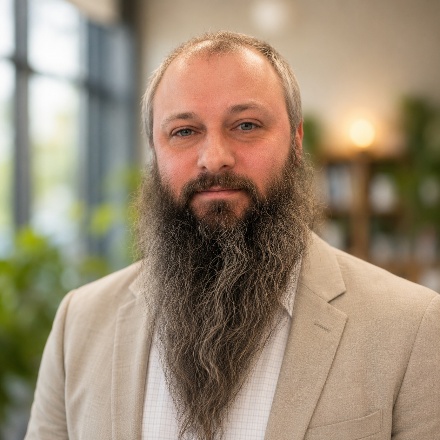
Roger Hunt
Roger convenes the Global Algorithmacy Conference and runs Algorithmacy Cohorts (opens in a new tab). He learns the office or the home, puts the computer in, sets the local model and the jobs up, answers in the portal, and takes the monthly call.

Joseph Singh
Joseph is the Cursor Ambassador for Trinidad and Tobago, where he builds AI-first products and grows the local developer community around agentic coding. At Algorithmacy Studio he installs the computer, the local model, and the jobs, and he keeps them running for owner-run businesses across the Caribbean.
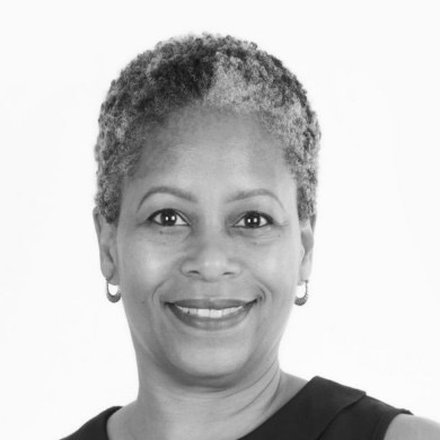
Lorraine Villaroel
Lorraine brings experience in organisational operations, digital solutions and community development, building practical applications that help organisations work more effectively. She works with a client to see how the day actually runs, then sets up a local model for the jobs that are safe to hand off, with a person still making the judgment.
LinkedIn (opens in a new tab) · Website (opens in a new tab)

Justin Jiménez
Justin is a software engineer at Resilient Coders in Boston who has helped develop a privacy-first document translator for underserved communities, and improved data-visualization interfaces for ecological conservation with the National Resources Conservation Service and Working Lands for Wildlife. He is drawn to human-centered design that solves daily challenges. At Algorithmacy Studio, he learns how the office or the home actually runs, installs the local model on a computer there, and keeps the admin jobs running.
LinkedIn (opens in a new tab) · Website (opens in a new tab)
What happens on the call.
Twenty minutes. Nothing is connected and nothing is paid.
-
First 5 minutes
Your office or your home. How many people, which systems hold the files, who touches intake or the household routines today.
-
Next 10
The jobs. Which ones, who would sign off, and what must stay manual.
-
Last 5
Whether it fits. If it does not, we say so. If it does, you are invited into the portal. People is where you invite the office or the household. The first 10 home and office installs: free covers our labor to install and to maintain. Equipment is not included. Free maintenance for life is in exchange for your continued endorsement and testimonial. Restrictions apply. After that, Subscription is where you pay the $5,000 setup and the first month. The Terms of Service are the terms.
Who this is for.
Small offices of about 5 to 50 people, and homes. Dental practices and clinics first, then law firms, CPA and real estate offices, and other owner-run shops. A home uses the same computer for calendars, files, mail, and routines that stay in the house. Saying we’ll work with a kind of office doesn’t mean we’ve already cleared that office’s legal, privacy, or licensing rules. We sort those out before any work starts.
Skip this if you want a model talking to patients or clients with nobody checking, or if your vendor review needs a SOC 2 report right now. The box does the admin. A dentist still does the clinical work. A lawyer still does the legal work. Nothing starts from this page. It starts with a call.
The conference on this site is a separate program. Booking a call does not register you for it.
Questions.
What do the first 10 installs include?
The first 10 home and office installs. Free covers our labor for the installation and ongoing maintenance. It does not include the computer or equipment. You supply your own computer, or you buy it at the store price. Free maintenance for life is in exchange for your continued endorsement and testimonial. Restrictions apply. Free covers our setup and maintenance labor, not hardware or third-party bills, and free maintenance continues for as long as the endorsement stays up and within the agreed scope of jobs. If the endorsement comes down, or the work goes outside those jobs, the free maintenance stops. After those 10, the guide is $5,000 to set up and $1,000 a month.
Why dental practices first?
The chores match across a dental practice, a law firm, a CPA office, and a house: intake, records, reminders, follow-ups. A dentist has to be able to see the job the way they see a water heater: a box in the building, a person who puts it in, and a visit when it breaks. We start there. A dental practice still follows its HIPAA safeguards. A law firm still follows ABA Formal Opinion 512. We write the access down before anything is connected.
What if we already have practice software, email, and a phone?
Keep them. The jobs use the systems you have. Studio does not replace the practice software, the email, or the phone. Those bills stay yours.
Can’t we just use ChatGPT, or an Apple or Google hub?
You can. ChatGPT, Anthropic, and an Apple, Google, or Alexa hub rent you a model that runs on their servers. Prompts, and any records pasted in, sit there. You pay per seat or per token for as long as you use it. If their service is down, the answer is down. Paid platform tools run from about $20 to $500 a month, software only, by the vendors’ published prices, and someone still has to run them. Clio’s 2026 small-firm report found that just under a third of firms using AI had increased their revenue. Here the model runs on a computer you own. An engineer installs it and comes back when a connection breaks. This page does not promise that a draft never needs a correction.
What happens when something breaks?
Connectors break when the office software updates. A backup needs a look. Someone on the staff leaves and the approval list is wrong. A new open-weight model can look better in a demo and worse on your actual jobs, so we test it before we swap it in. You write what broke in the portal, or you say it on the monthly call. That is the monthly work, the same way a water heater has a service plan. The reply time is agreed before the work starts. For the first 10, that maintenance labor stays free, in exchange for your continued endorsement and testimonial. Restrictions apply. Equipment and third-party bills are not included. This page does not promise that nothing will break.
How long is this, and how do we stop?
The install is once. After the day 30 check, maintenance is month to month. For the first 10, our labor to maintain stays free for life, in exchange for your continued endorsement and testimonial. Restrictions apply. Free covers our setup and maintenance labor, not hardware or third-party bills, and free maintenance continues for as long as the endorsement stays up and within the agreed scope of jobs. If the endorsement comes down, or the work goes outside those jobs, the free maintenance stops. You can still stop, with 30 days’ written notice. The jobs stop, our access is revoked, and you get a written list of what was connected and how it worked. Stopping does not send a bill for labor already covered. The computer stays on your shelf.
Can the staff, or the household, see what ran?
Yes. The portal is the record: what ran, what is waiting for approval, what was blocked, and what you asked to change. You invite the people who should see it.
Who owns the computer and the work?
You own the computer, your files, your accounts, and the written description of how the office or the home works. The model runs on that machine. We do not keep a copy of the patient, client, or household files. If you leave, the agreement includes a handover list: what was connected, and how it worked.
How do we pay?
After the call, if we are going ahead, you are invited into the portal. The first 10 home and office installs: free covers our labor for the installation and ongoing maintenance. It does not include the computer or equipment. You supply your own computer, or you buy it at the store price. Free maintenance for life is in exchange for your continued endorsement and testimonial. Restrictions apply. Free covers our setup and maintenance labor, not hardware or third-party bills, and free maintenance continues for as long as the endorsement stays up and within the agreed scope of jobs. After those 10, you pay the $5,000 and the monthly charge in the portal, by card, through Stripe. Invoices and the way to stop the monthly charge are in the same place. Paying is not available on this page before that conversation.
What if we need something that is not this engagement?
Write anyway, and choose Other work on the form. Design or AI work that is not this install has no price on this page. We agree on one before any work starts.
Do you work with clients in Trinidad and Tobago and the wider English-speaking Caribbean?
Yes. The work is done for owner-run offices across the Caribbean as well as the US. How many of the first 10 installs remain is confirmed on the call.
Can the install be done remotely?
The call and the first planning can happen over phone or video. Placing the computer needs someone physically present, and that is agreed on the call.
What about privacy law outside the US?
This page talks about HIPAA and ABA rules, which are US law. The same design applies anywhere: the model runs on a computer you own, in your building, so records don’t go to an outside AI company. The privacy and professional rules that apply in your country, for example the Data Protection Act in Trinidad and Tobago, are sorted out in writing before any work starts. This page is not legal advice, and it does not say the work meets those rules.
Who supplies the computer outside the US?
You do. You supply your own computer, or you buy it at the store price. We do not add a markup. Import costs and duties, if any, are yours, and they are named before purchase.
Book the call.
A confirmation arrives with a calendar file and the video link.
Or write first.
This form emails Algorithmacy Studio at topanga@algorithmacy.org. If it sends, you will see a confirmation on this page. You can also write to that address yourself.
Sent.
We received your note. If we follow up, we will use the email address you gave. Nothing is booked until then. You can also write to topanga@algorithmacy.org.
Sources.
- ShareFile, State of Legal 2026 (opens in a new tab). 304 US lawyers, about half of them in-house. 47% report intake of four days or longer.
- AI Lawyer, Small-Firm Legal Operations Report 2026 (opens in a new tab). A vendor survey of 532 of its own users, about a quarter outside the US, collected 2024 to 2026. 89% lose five or more hours a week to non-billable admin; intake is the most-named stage for errors, at 43%.
- Clio, 2026 Solo and Small Firm Legal Trends Report (opens in a new tab). 33% of small firms (27% of solos) name time as the biggest hurdle to adopting new technology. “Just under one-third” of firms using AI report increased revenue.
- Comparison rows, all published in 2026 and read on 11 October 2026. The cloud chatbot row uses these software prices. A smart home hub is a device tied to that vendor’s account. These sources do not publish a hub’s shelf price. Rented platform tools: Mario AI pricing guide (opens in a new tab), platform-only $20 to $500 a month. Intake chatbot or phone agent: public price pages at Zenovly (opens in a new tab) ($497 to $1,497 setup, $49 to $129 a month), GateKeeperAI (opens in a new tab) ($500 setup, $500 a month for law firms), JubilantWeb (opens in a new tab) ($1,499 build, $299 a month), Lexara (opens in a new tab) (no setup fee, $1,000 to $1,400 a month), and Deepr Convos (opens in a new tab) (from $1,500 implementation, $900 to $1,900 a month). A local install you do yourself: these sources do not publish a price. The computer costs the store price, and the upkeep is your time. Automation agency: Evolv, agency cost in 2026 (opens in a new tab), $1,500 to $7,500 a workflow and $300 to $3,000 a month managed. Fractional AI engineer: Devaland (opens in a new tab) (from $4,000 a month), AY Automate (opens in a new tab) ($5,000 to $18,000 a month at 8 to 20 hours a week), and Fractional (opens in a new tab) ($5,200 to $9,300 a month at 13 hours a week). Hiring: Indeed average base of $153,038 as reported by Fokal (opens in a new tab), and Levels.fyi (opens in a new tab) median total compensation of $307,000, before benefits and recruiting. None of these is a quote.
- American Bar Association, Standing Committee on Ethics and Professional Responsibility, Formal Opinion 512, Generative Artificial Intelligence Tools (opens in a new tab), 29 July 2024. Model Rules 1.6 and 5.3.
Become an engineer.
How the group works, and how to join.
Every business is going to need an AI engineer. Most are too small to pay for a full-time one, which runs about $200,000 a year.
So Studio sells a fractional version. The work is a local install: a computer the client owns, a model that stays on it, and the daily jobs wired up. A one-time setup fee covers the install. A monthly fee pays an engineer to check the connections, test a model before swapping it, and keep the jobs running. As a guide, that is about $5,000 to set up and $1,000 a month. A given implementation can cost more or less, but for a normal small business or a home it should be enough. The first 10 home and office installs are the exception on the labor fee. Free covers our labor for the installation and ongoing maintenance. It does not include the computer or equipment. Free maintenance for life is in exchange for their continued endorsement and testimonial. Restrictions apply.
How the group works.
Finding clients is the hard part, so we do it together. When you join, Roger sends you an API key for the shared mailbox. Each engineer runs their own Grok Bot and agents, emailing and posting on X to bring in leads, all under the Algorithmacy Studio name.
You run your own shop. A client who comes in through your outreach is your client. When you have as many as you can handle, say 50, you send new ones to other engineers in the group to manage. That is how it grows.
One engineer’s agents only reach so far. Everyone’s agents, coordinated under one brand, reach a lot further. That is the reason for the group.
What the work is.
An Algorithmacy engineer is a named person on a client account. You learn the office or the home, put the computer in, set up the local model and the jobs, and post a plain report after a run. Someone there signs off before a new kind of message goes out.
How to join.
Open a pull request that adds your photo and two sentences under Your Engineers, and show the work the process page asks for. That pull request is the application. Access starts after it is merged and your sign-in email or GitHub login is recorded with the engineers. The process page says how.